
Russet: AI that runs on your device

Chat, write, and work with your files using AI on your own device. Russet is a native AI assistant for iPhone, iPad, Mac, Android, and Linux, with local models for private, offline use and optional access to OpenRouter and OpenAI.
Download Russet
Choose your platform to get started. You can use local AI without a Russet account; download a compatible model or use on-device Apple Intelligence on a supported Apple device.




From a quick question to an ongoing project
Chat offline. Brainstorm ideas, explain a concept, or draft a response with a local language model. Once the model is ready on your device, local conversations work without an internet connection.
Write with Flow. Summarize long text, rewrite a draft, translate a passage, or label content with dedicated text tools.
Keep your work together. Organize chats, files, and instructions into projects so you can return to the same topic without starting over.
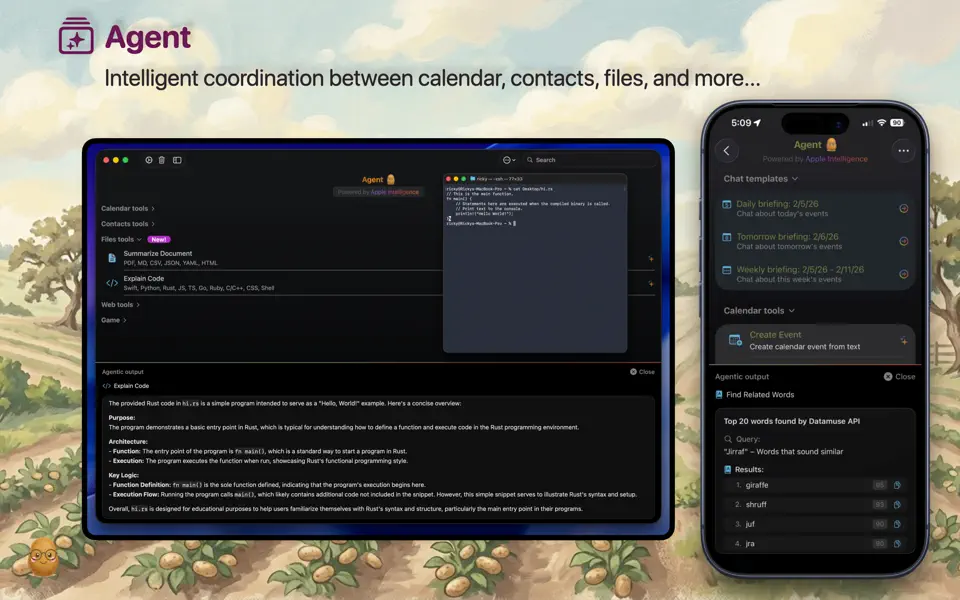
Ask about your files. Bring documents into a conversation or use image input with a compatible model. Supported inputs and file sizes depend on the model you choose.
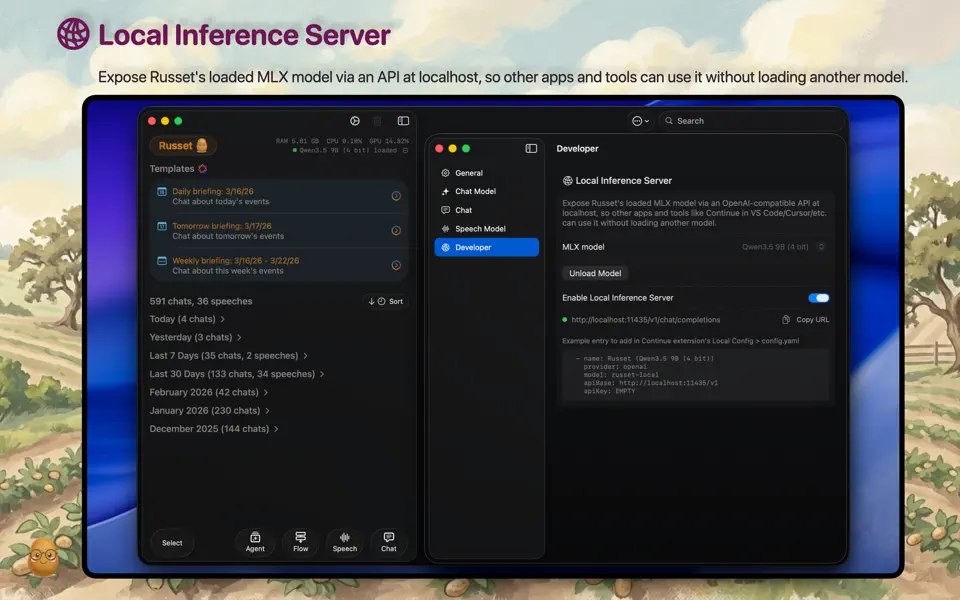
Choose local or cloud AI. Use on-device models for local processing, or connect your own OpenRouter or OpenAI API key for cloud models. OpenRouter chats also offer optional web search and page fetching.
Reuse instructions on desktop. On Mac and Linux, save repeatable workflows as Skills and apply them in compatible chats.
Take conversations with you. Export and import chats between Russet apps using the portable .rcx transfer format.
Local AI models for your hardware
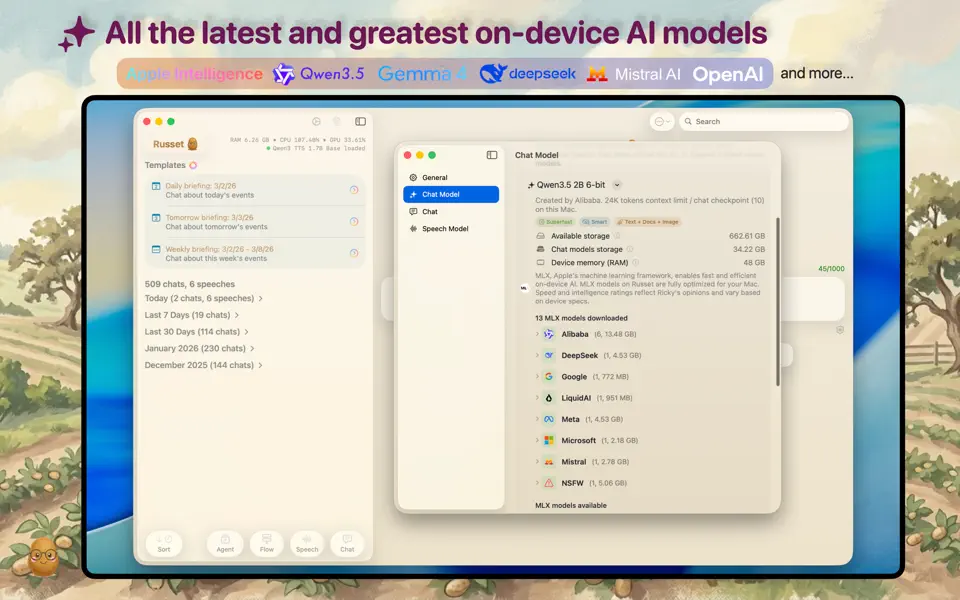
Russet supports several AI frameworks, with options tailored to each platform:
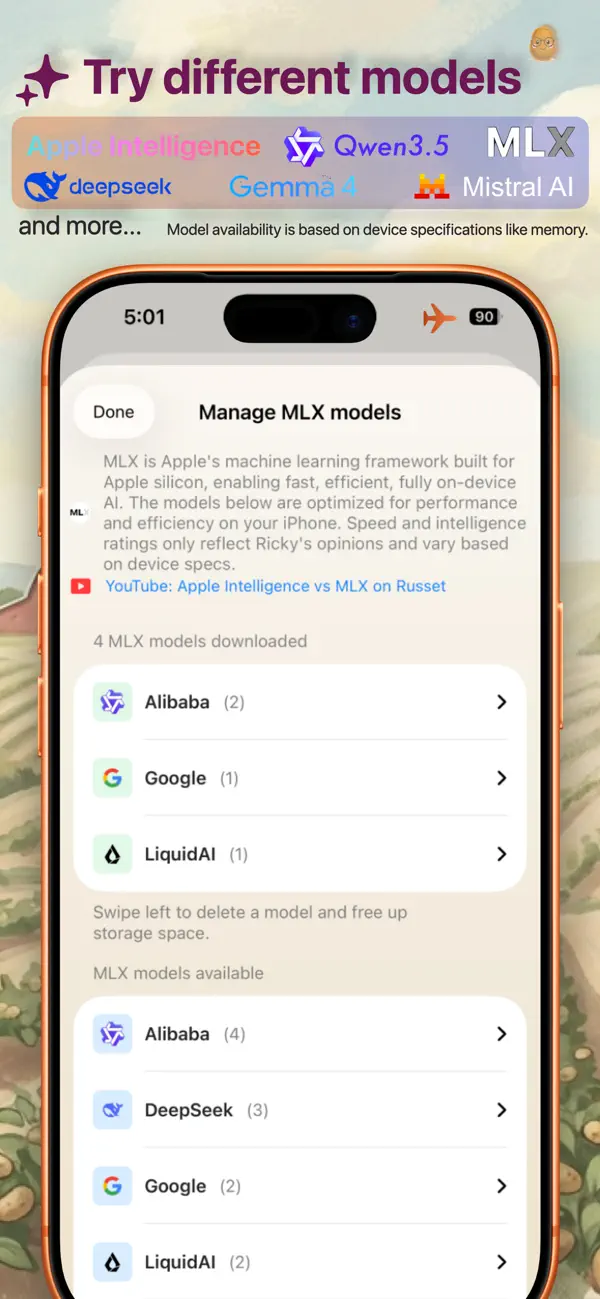
iPhone and iPad: Apple Intelligence and MLX on compatible devices.
Mac: Apple Intelligence, MLX on Apple silicon, and llama.cpp for GGUF models.
Android: LiteRT for downloadable on-device models.
Linux: llama.cpp for local GGUF models.
OpenRouter and OpenAI are available as optional cloud providers across all platforms. Local model availability and performance depend on your device's memory, hardware, and operating system. Check the store listing for compatibility before downloading.
Your choice of where AI runs
When you select an on-device model, prompts and responses are processed locally. Model downloads need an internet connection; local chat can then work offline. Cloud models and web tools need a connection and send the relevant content to the selected services. Cloud providers may charge for API usage.
A free Russet account unlocks larger project and file libraries. Your account does not automatically upload or sync your chats and project files. Read the Russet privacy policy for details.
See Russet in action


Get started with Russet
Download for iPhone and iPad, Mac, Android, or Linux and start your first conversation.
Need a hand? Contact Russet support.